






Skip to content
PeekWell
Join now
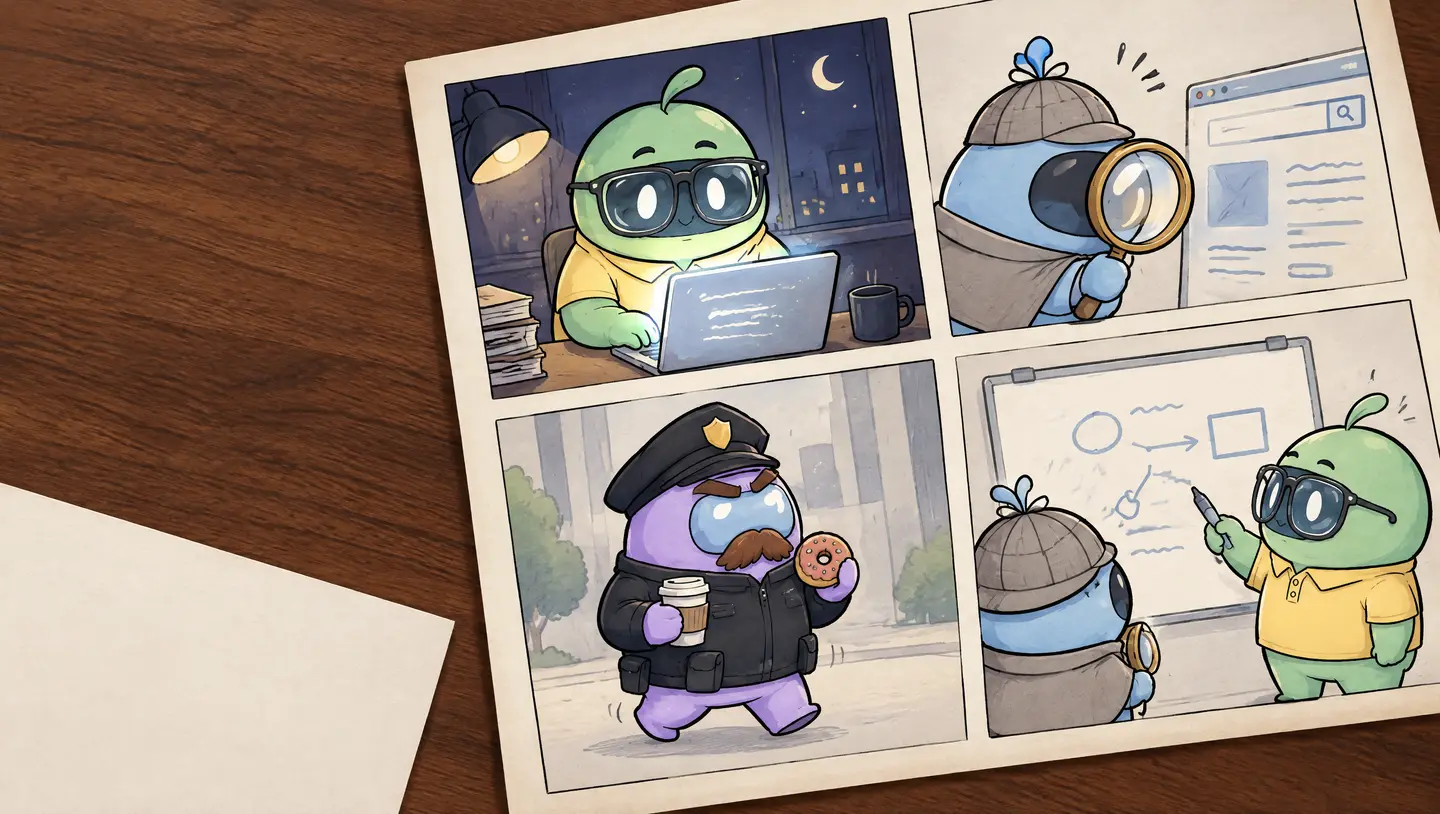
Comic pages on a wooden desk. Cheeky works late at a laptop, Peeky studies a website through a brass magnifying glass, the Officer strolls by with a coffee and a doughnut, and Peeky and Cheeky talk it through at a whiteboard.

See what a regulator would see. Before they do.

Peeky reads your public pages the way an auditor would, and writes down what it finds, with a fix for each one.

No card to start. Peeky only reads public pages, and checks them against EU, UK and US rules.

Three minutes, three characters

  1. Cheeky, the founder, half asleep at a laptop with a coffee.

    Cheeky ships on a Friday night,

  2. Peeky, a blue detective in a deerstalker, follows a trail of footprints with a brass magnifying glass.

    Peeky reads the site in about three minutes,

  3. The Officer, lavender and moustached, gives a small reluctant smile.

    and the Officer finds it in order and almost smiles.

What Peeky looks at

Every scan is a round of questions about your public pages. Here are eight of them, answered for hollowbrook.app, a site we made up.

54

hollowbrook.appFirst scan, 3 June 2026. Score 54 of 100.

Of these eight

passed
3
worth a look
3
critical
1
couldn’t be observed
1
  1. Critical

    _ga set 1.25 s after load. Banner not answered yet.

  2. High

    Intercom gets data from /pricing. The policy says “trusted service providers”.

  3. Passed

    The policy gives privacy@hollowbrook.app and links a request form.

  4. EU-12Reviews, pricing and subscriptions

    Does the countdown start again on every visit?
    Medium

    “Offer ends in 09:59” on three loads, an hour apart.

  5. EU-13Reviews, pricing and subscriptions

    Can people see the renewal price before they pay?
    Passed

    Renewal price and how to cancel sit next to Subscribe.

  6. Low

    3 icon buttons on /pricing have no name.

  7. Not observed

    No newsletter archive is linked. Peeky doesn’t sign up to find out.

  8. Passed

    http redirects to https. Strict-Transport-Security is set.

For information only. Not legal advice.

That’s 8 of 45. See all 45, by EU, UK and US.

One finding, three ways to read it

This card is from a sample report on hollowbrook.app. Same cookie, told three ways.

Critical
ePrivacy · GDPRCookies

Google Analytics sets a cookie before consent

Google Analytics set _ga on https://hollowbrook.app/ 1.25 seconds after the page loaded, before anyone answered the cookie banner. Non-essential cookies need a visitor’s agreement first, and this is one of the first things regulators have checked, because it shows in the network log.

Read more details on the wiki

What Peeky saw

GET https://www.google-analytics.com/g/collect?v=2&tid=G-7K2XQ4 204 t+1.25s
Set-Cookie: _ga=GA1.1.6604.1727; Max-Age=63072000; SameSite=Lax
Consent state: banner visible, no interaction
After Reject all: GET https://www.google-analytics.com/g/collect 204

In plain words

In plain words

Google Analytics puts a cookie on your visitors’ browsers before they click “accept cookies”. It’s like a shop signing you up for its loyalty card the moment you walk in, before you’ve said whether you want one. Cookies should load only after a visitor agrees to them. This is usually a setting in your cookie banner.

The fix

  1. Load Google Analytics from your consent tool’s accept callback instead of on page load.
  2. If you use Google tags, set consent mode to “denied” by default.
  3. Re-scan to confirm no request fires before the click.

Ready prompt for your AI coding tool

PeekWell EU-01 (Non-essential trackers firing before consent) observed on hollowbrook.app: Google Analytics sets a cookie before consent.

Find where Google Analytics is loaded (look for _ga-setting scripts in the layout template or tag manager). Move the loader behind the consent tool's accept event, so nothing from Google Analytics runs until the visitor accepts. Keep the session cookie as is. Then test: open hollowbrook.app in a private window, do not touch the banner, and confirm in the network tab that no request goes to Google Analytics; accept, and confirm it loads.

Do not change unrelated behaviour. Summarise the change and how you tested it.

Peeky, magnifying glass in one hand, explaining with the other.
That’s me. I read websites for a living.

Small things are found first

Most of what I find is small. An analytics tag that starts a second too early. A reject button tucked away behind “Manage settings”.

Small things show up in an ordinary browser, and an ordinary browser is where a regulator starts too. So that’s how I look. I open your public pages like any visitor would. I answer the cookie banner both ways, then read the policy you link to.

Then I write down what I saw and where, with a fix you can hand to your developer or paste into your AI coding tool. What the law makes of it isn’t my call. Your lawyer gets that one.

Public pages only. Peeky never signs in, submits forms, tests passwords or looks for weaknesses. PeekWell is not a security testing service and cannot be used as one.

For information only. Not legal advice.

Why it matters at your size

A team of five

For founders and small teams.

  • You ship most weeks, and a release can bring a new script with it.
  • The cookie banner was set up once, by whoever had a free afternoon.
  • The privacy page was written before the chat widget arrived.
  • An investor or a big customer may ask about it before you’ve looked.

You get: a fix and a ready prompt for each finding, so the next free afternoon is enough.

A portfolio to watch

For investors, law firms and public bodies.

  • You look after websites you didn’t build and can’t edit.
  • Each one changes whenever its team ships something.
  • A questionnaire tells you what a founder believes. A scan shows what the website did.
  • Comparing companies only works if each one is checked the same way.

You get: the same scan on every company, written down the same way, month after month.

Ask us about Organizations

From the Officer’s case files

Hollowbrook is made up. These are not. Each case links to the authority’s own publication.

Case 015FTC (United States), 2026

Alleged: Employee and incentivised reviews presented as customer reviews

Vanilla Chip LLC (TruHeight), United States · $4 million judgment, $750,000 payable

The FTC's final order, approved in July 2026, bars the company and its principals from misrepresenting reviews and buying reviews tied to a sentiment, with a $4 million judgment partially suspended after $750,000 is paid.

Five months of Hollowbrook

With Accreditation, Peeky scans every month and your badge shows what the latest scan saw. Step through the months. When the score drops under 80, the badge goes back to “not active” by itself.

PeekWell score One scan a month on hollowbrook.app. The badge is on from 80 up.

June 2026

PeekWell accreditation: not activePeekWellnot active
Sample badge for hollowbrook.app, an imaginary site.
54

Last scan 3 June 2026

First scan. Most of it is the cookie banner.

July 2026

PeekWell accreditation: not activePeekWellnot active
Sample badge for hollowbrook.app, an imaginary site.
71

Last scan 3 July 2026

Banner fixed. The privacy page still doesn’t name Intercom.

August 2026

PeekWell accreditation: accredited 84%PeekWellaccredited 84%
Sample badge for hollowbrook.app, an imaginary site.
84

Last scan 3 August 2026

Over 80. The badge switches on by itself.

September 2026

PeekWell accreditation: not activePeekWellnot active
Sample badge for hollowbrook.app, an imaginary site.
76

Last scan 3 September 2026

A new chat widget set cookies before anyone said yes. Badge off, on its own.

October 2026

PeekWell accreditation: accredited 86%PeekWellaccredited 86%
Sample badge for hollowbrook.app, an imaginary site.
86

Last scan 3 October 2026

The widget waits for consent now. Badge back on.

Passed means the expected behaviour was observed on the pages scanned. Neither a Passed nor the score says a website is compliant.

We’ll sort out the cookie banner after the raise Peeky’s correction: this afternoon.

Cartoon. Cheeky is not a customer.

Quick questions

Does my website need a privacy policy?

Almost always. If your site collects anything about visitors, analytics included, the rules in the EU, UK and US expect a privacy policy people can find from any page.

Peeky checks that yours loads and that it names the services your site talks to. Whether it covers what your business does is a question for your lawyer.

The rule is in the Rulebook: EU-09, UK-10 and US-13.

Do I need a cookie banner on my website?

Not always. You need one when your site sets cookies it doesn’t strictly need, and analytics, ads and most chat widgets count.

If you have a banner, Peeky checks that nothing loads before the visitor answers, and that saying no is as easy as saying yes.

The Rulebook has the rule in EU-01 and UK-01.

What does PeekWell actually scan?

Your public pages. Peeky opens them in an ordinary browser, answers the cookie banner both ways and reads the policies you link to. It never signs in or fills in forms.

Cookies are about a quarter of it. The other checks cover privacy policies, data requests, reviews and countdowns, subscriptions, accessibility, marketing email and the connection itself.

All 45 checks are on How it works.

Is there a free check?

Yes, once. Trial gives you one website in one jurisdiction, with the score, the summary and one finding in full. You don’t need a card.

See what Trial includes.

Is this legal advice?

No. The report says what Peeky saw and what the rule expects. What that means for your business is a question for your lawyer.

For information only. Not legal advice.

The Terms say the same.

If the report looks clean, will a regulator leave me alone?

Not quite. A clean report means Peeky didn’t see a problem on the pages it scanned. It can’t see your contracts or the emails you send, and it doesn’t speak for any regulator.

See what Peeky can’t see.

More on the FAQ page.

Find it before the Officer does

Your first look is free and takes about three minutes.

Join now